LDRenting APP/PC Operation Manual
Your All-in-One Guide to Intelligent Property & Rental Management
01-Introduction to LDRenting
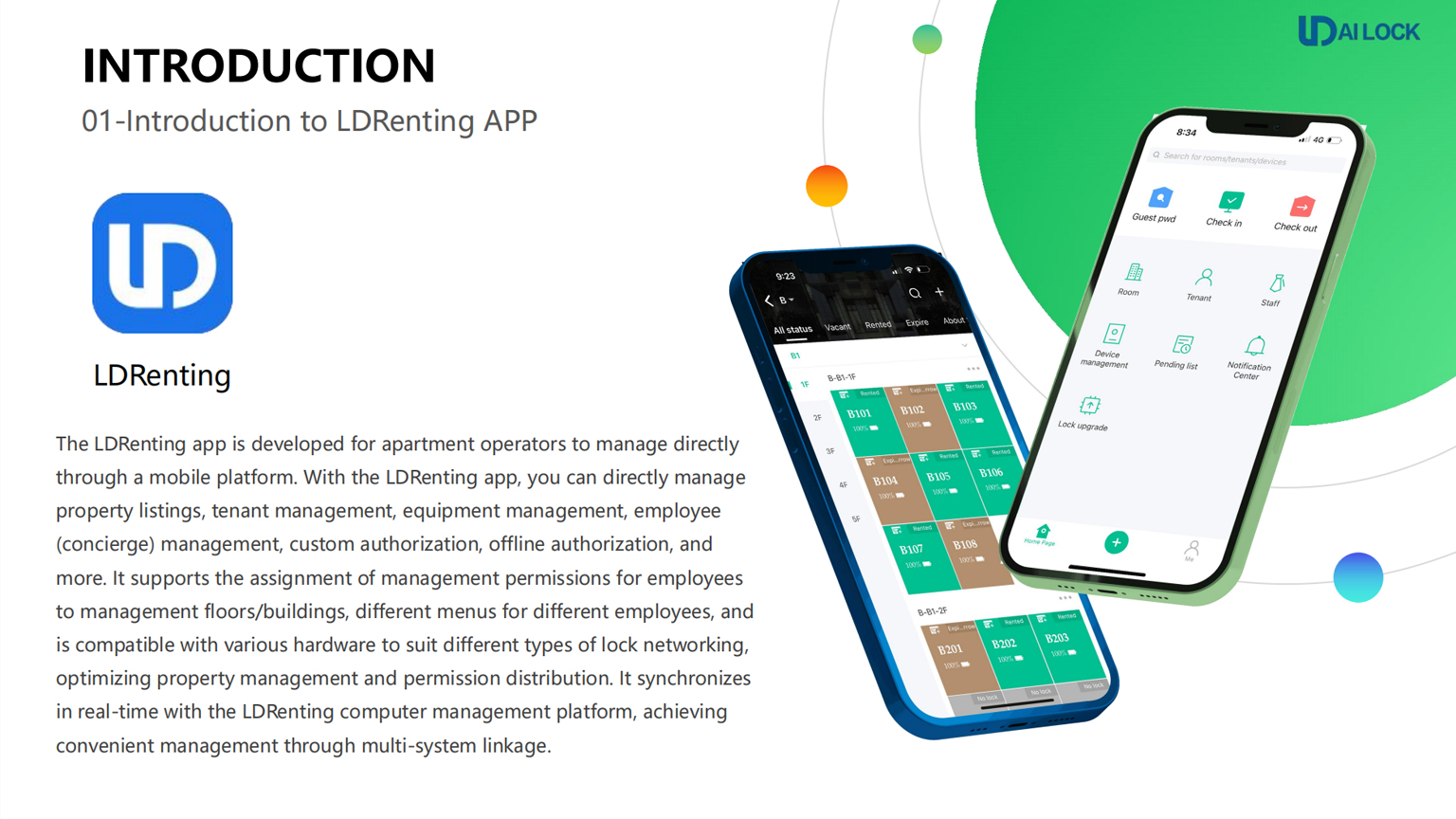
The LDRenting app is developed for apartment operators to manage directly through a mobile platform. It synchronizes in real-time with the LDRenting computer management platform, achieving convenient management through multi-system linkage. This seamless integration ensures that operators can manage their properties efficiently from anywhere at any time, making it an essential tool for modern property management.
Key Capabilities: Property listings, tenant management, equipment (locks/gateways) management, and custom authorization. For instance, property listings can include high-quality images and detailed descriptions to attract potential tenants, while tenant management features allow for easy communication and payment tracking, enhancing the overall tenant experience.
02-APP Basic Process
Register Account → Create Listing → Add Lock → User Authorization
Follow these four core steps to get your rental business online with LDRenting. Each of these steps is designed to be intuitive and user-friendly, ensuring that even those with minimal technical skills can navigate the app with ease.
03-APP Function: Create a Listing
- Click the “➕” button on the dashboard.
- Select “Add Rooms in Batch” for efficient setup.
- Fill in building information and room number prefixes.
- Click “Save” and then “Confirm”.
Creating a listing is a vital step in attracting tenants. By providing comprehensive information about the unit, such as amenities, nearby attractions, and pricing, you can significantly enhance the appeal of your property. Additionally, utilizing high-resolution images can help prospective tenants visualize their potential new home, increasing the chances of securing a rental agreement.
03-APP Function: Add a Door Lock
The added door lock must be associated with a specific room to enable business functions. This means that every lock has a unique identifier that ties it to the unit it secures, making it easy to manage access.
Integrating smart locks not only enhances security but also offers tenants the flexibility to manage their access through mobile applications, providing a modern solution to traditional key systems.
03-APP Function: Check-in & Authorization
LDRenting supports two major check-in methods for tenants:
| Method | Features |
|---|---|
| Custom Check-in | WeChat authorization, LDLock App, Fingerprint, Card, or Custom Password. This flexibility ensures that tenants can choose a check-in method that best suits their preferences. |
| Offline Check-in | Offline Algorithm Passwords (7-10 digits) or Offline Cards (via PC). This is particularly useful for tenants who may not have immediate access to mobile data or Wi-Fi. |
By offering various check-in methods, LDRenting ensures that the tenant experience is as smooth and convenient as possible, catering to a wide range of preferences and needs.
04-Basic Process on PC Terminal
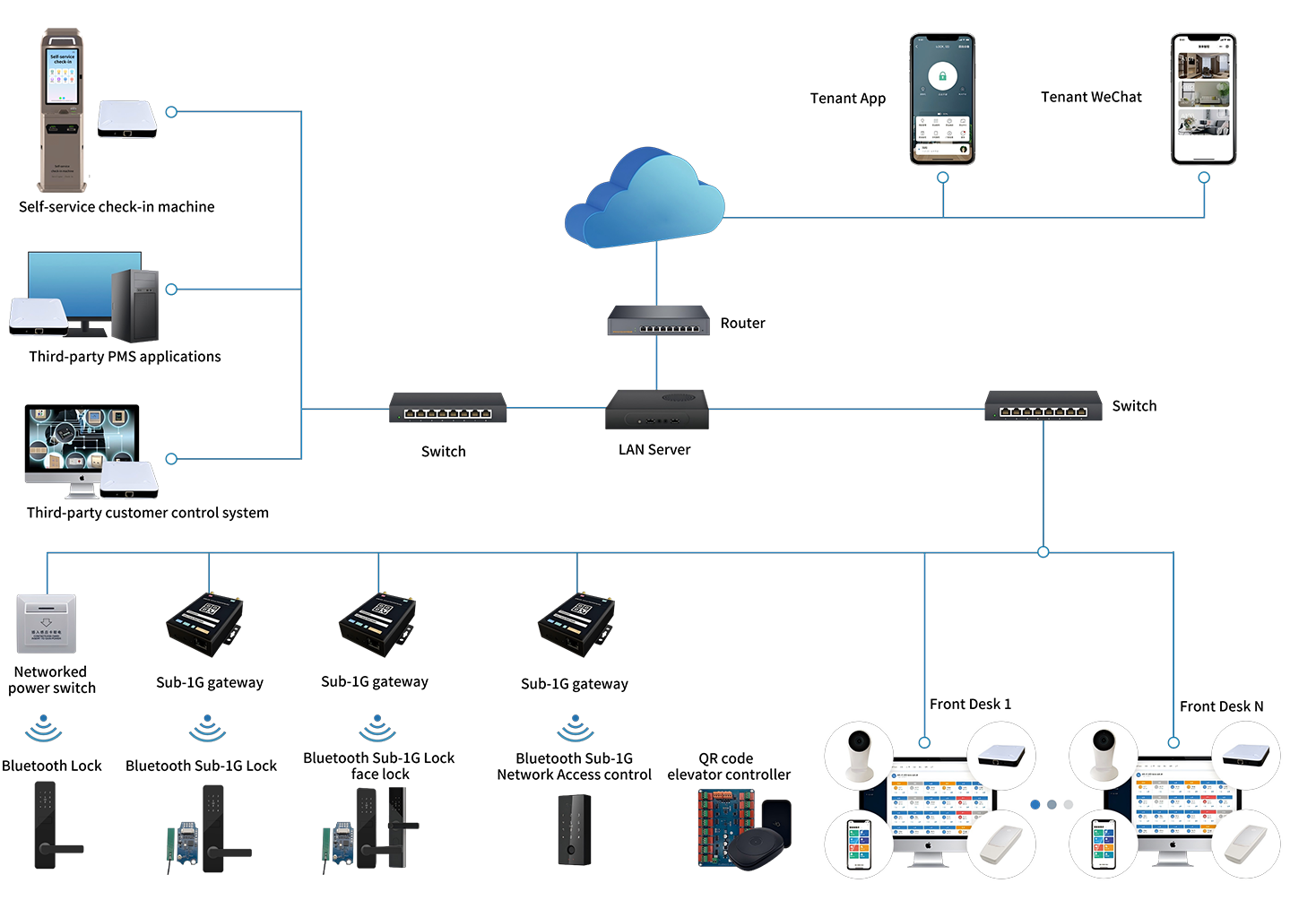
The PC platform is designed for front-desk management, offering more granular control. Managers can oversee all operations from a central hub, making it easier to respond to tenant needs and coordinate maintenance requests.
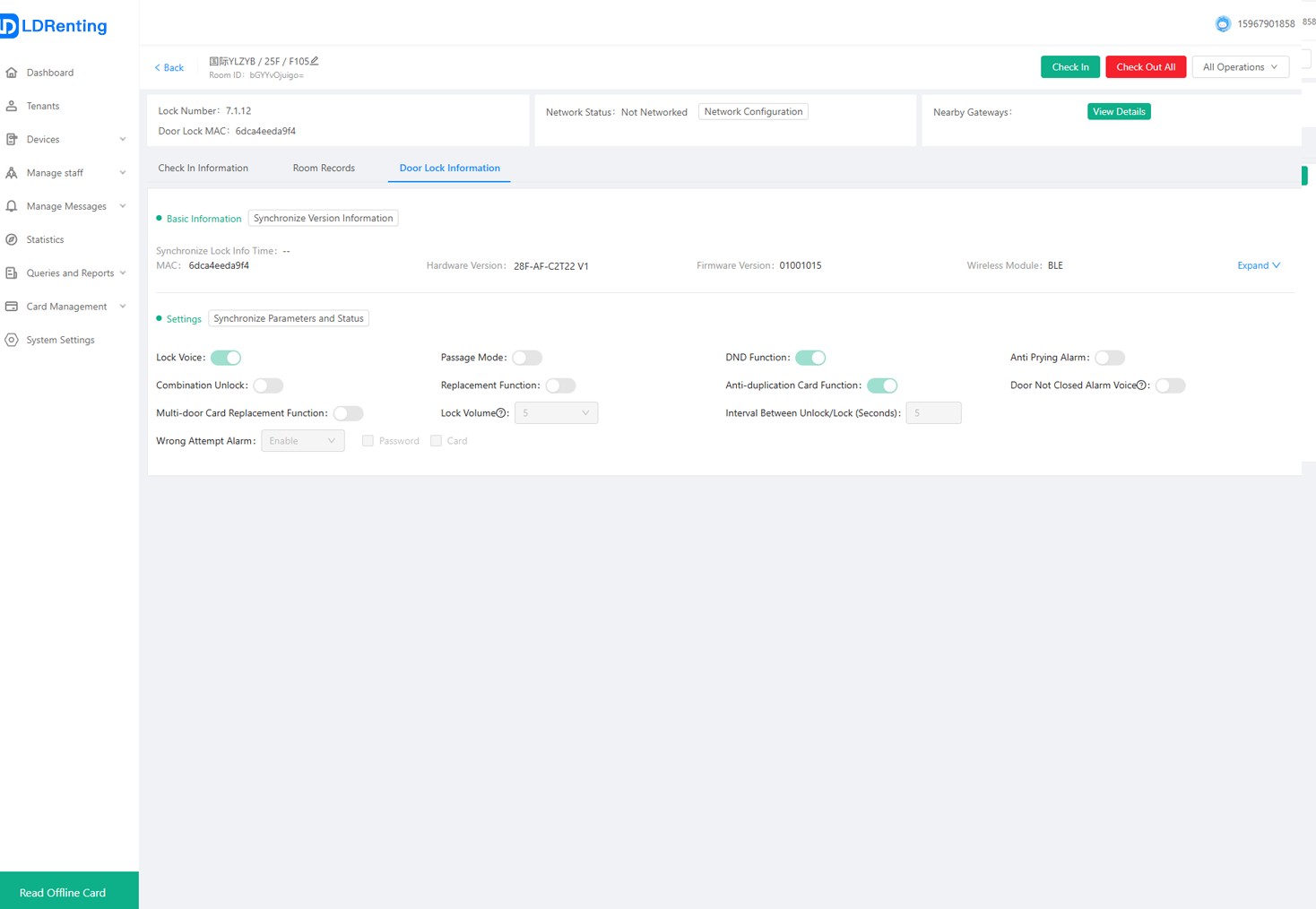
The intuitive interface provides quick access to tenant information, allowing managers to effectively handle inquiries and issues as they arise. Moreover, the platform’s reporting features enable tracking of occupancy rates and payment statuses, providing valuable insights into property performance.
Access URL: http://minsu.fandanlock.com
05-Apartment Open Interface
Third-Party SaaS Integration
We provide open interfaces for docking with third-party SaaS management platforms, including:
- Room Information Inquiry
- Authorization Management
- Remote Unlocking
- Event Pushing (Real-time logs)
- Online/Offline Notifications
This integration allows property managers to maintain a seamless flow of information between platforms, reducing the potential for errors and improving overall efficiency.
Looking for a professional smart lock solution?
Contact us at boschen@ldailock.com for detailed API documentation and technical support. Our team is dedicated to providing you with all the necessary resources to enhance your property management experience.
LDRenting Operation Manual: Empowering Smart Apartment Management
LDRenting Operation Manual: Empowering Smart Apartment Management
 Subscribe